Turn digital into real cinema.
Your camera already has the resolution. What it lacks is what makes an image feel like film: how the negative takes the light and how the print spreads the color. GFILMLAB puts that whole lab in a single node.
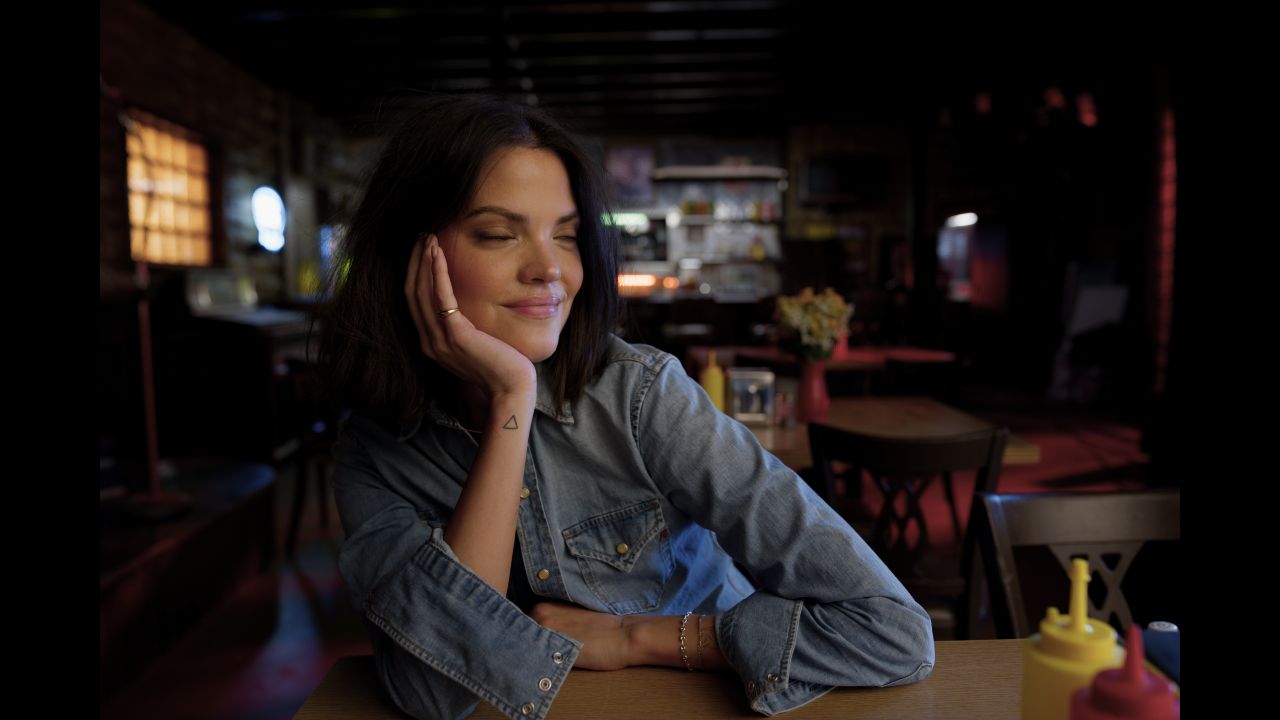
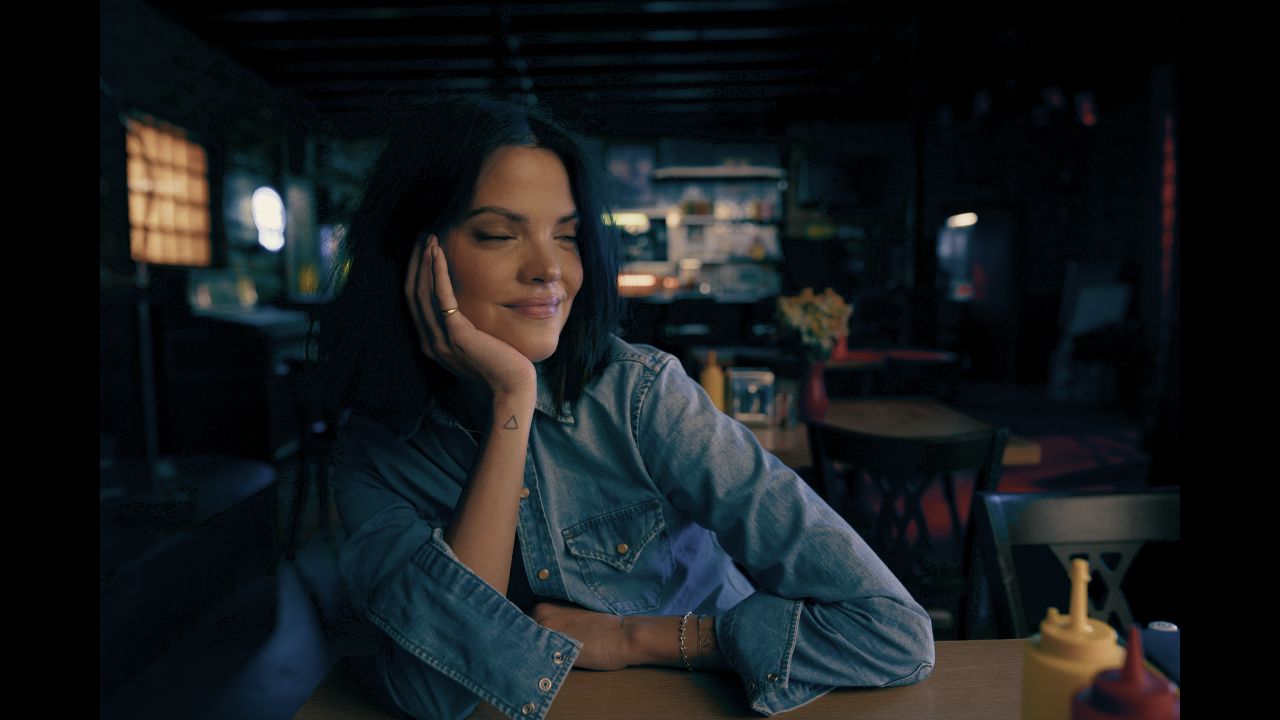 DigitalGFILMLAB
Hover or drag: digital shot on the left, GFILMLAB on the right.
It is not your camera. It is what happens next.
Flat skin, highlights that clip to white and colors with no weight. The sensor records everything but does not interpret it like film.
A film LUT works on one shot and burns the strong lights and skin on the next. It has no idea what it is looking at.
Rebuilding an emulsion’s response by hand takes hours per project, and on the next one you start from zero.
Four stops. One node.
In cinema the image does not come out of the camera: it goes through a lab. GFILMLAB walks that path in the same order, and you decide how much of each stop you want.
Your log, decoded without a CST.
That washed-out grey on the left is what your camera records in log: all the information, none of the interpretation. Pick your camera from 33 formats and GFILMLAB decodes it itself, with no conversion nodes.
At the end you pick the output format: Rec.709 for web and TV, P3 for cinema, PQ or HLG for HDR.
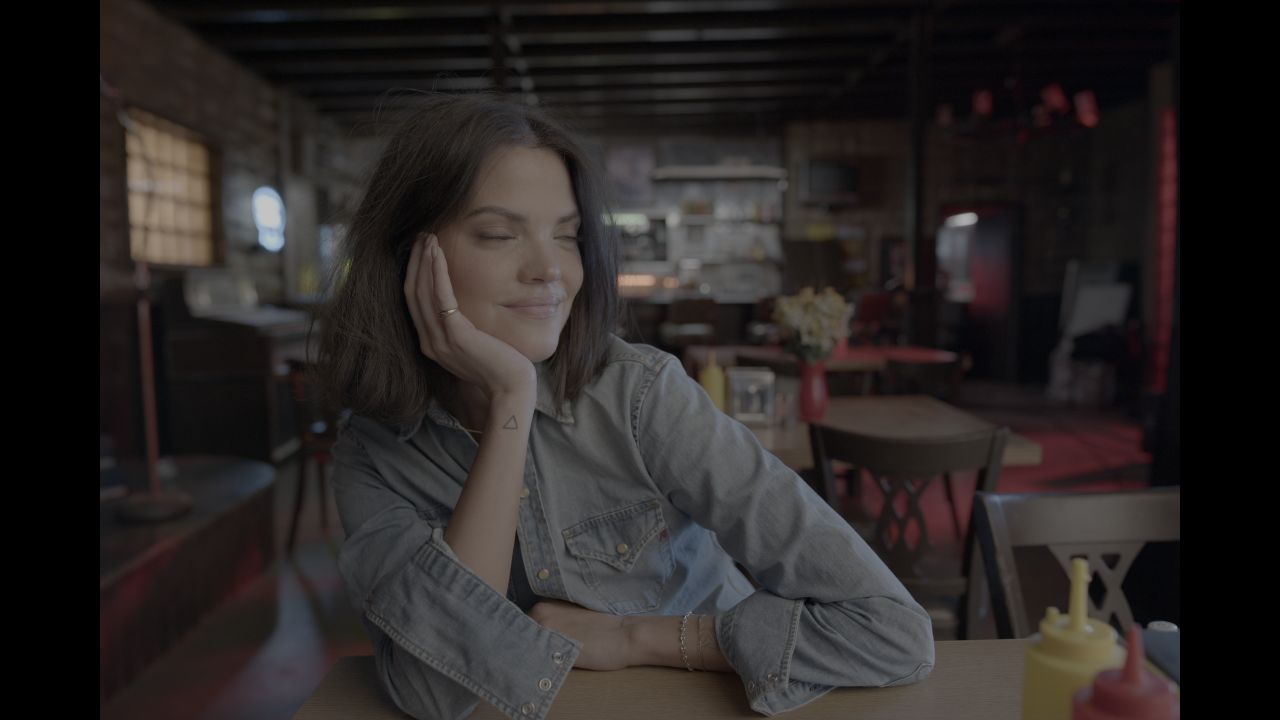
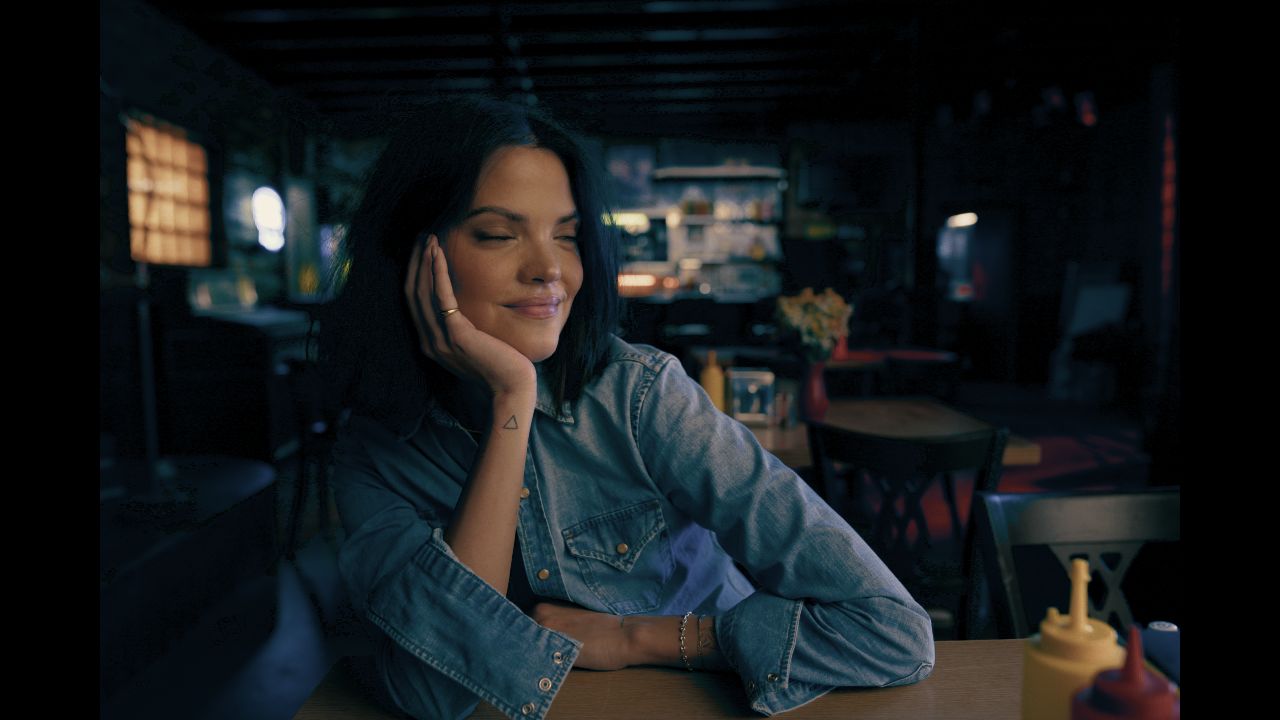 Camera logGFILMLAB
Light hits a real emulsion.
Choose from 19 film stocks: Kodak Vision3, Portra, Ektar, Gold, UltraMax, Fuji Eterna, Pro 400H, Superia, CineStill 800T, Tri-X, T-Max or Double-X. Each one responds to light its own way.
Overexpose the negative or push the development like in the lab. The lab compensates the brightness, so you change the character of the image without ruining the exposure.
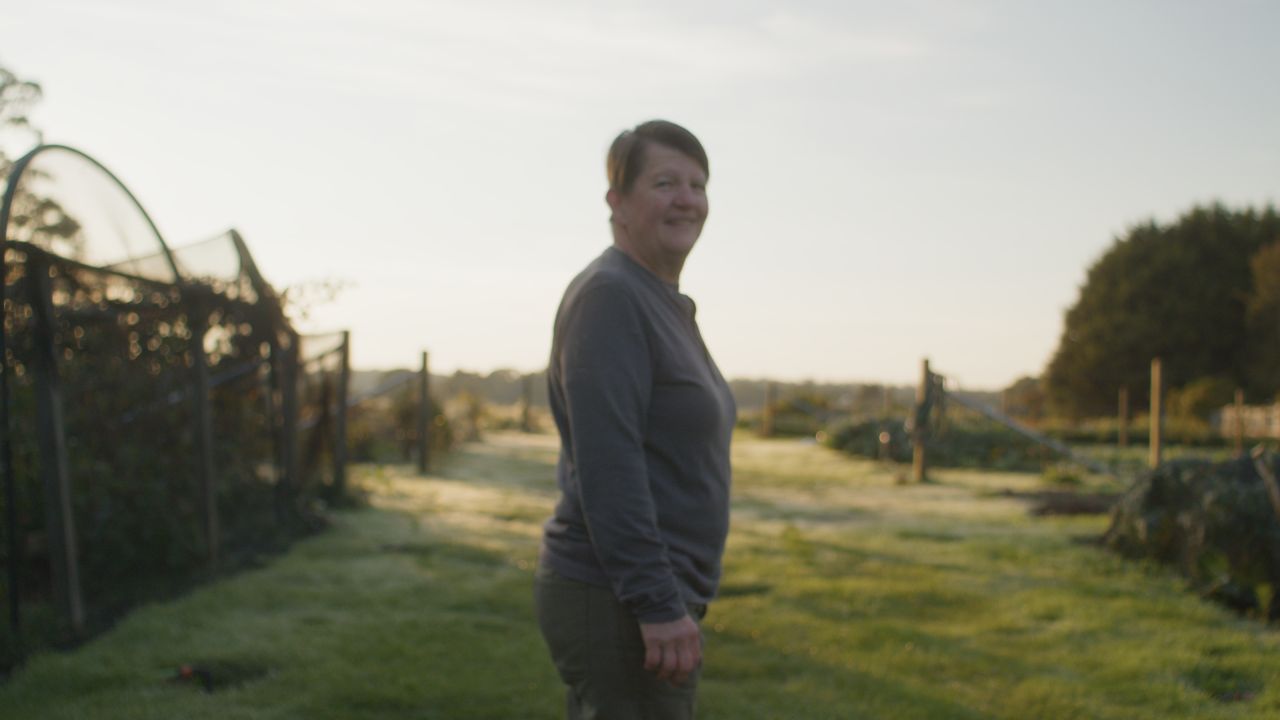
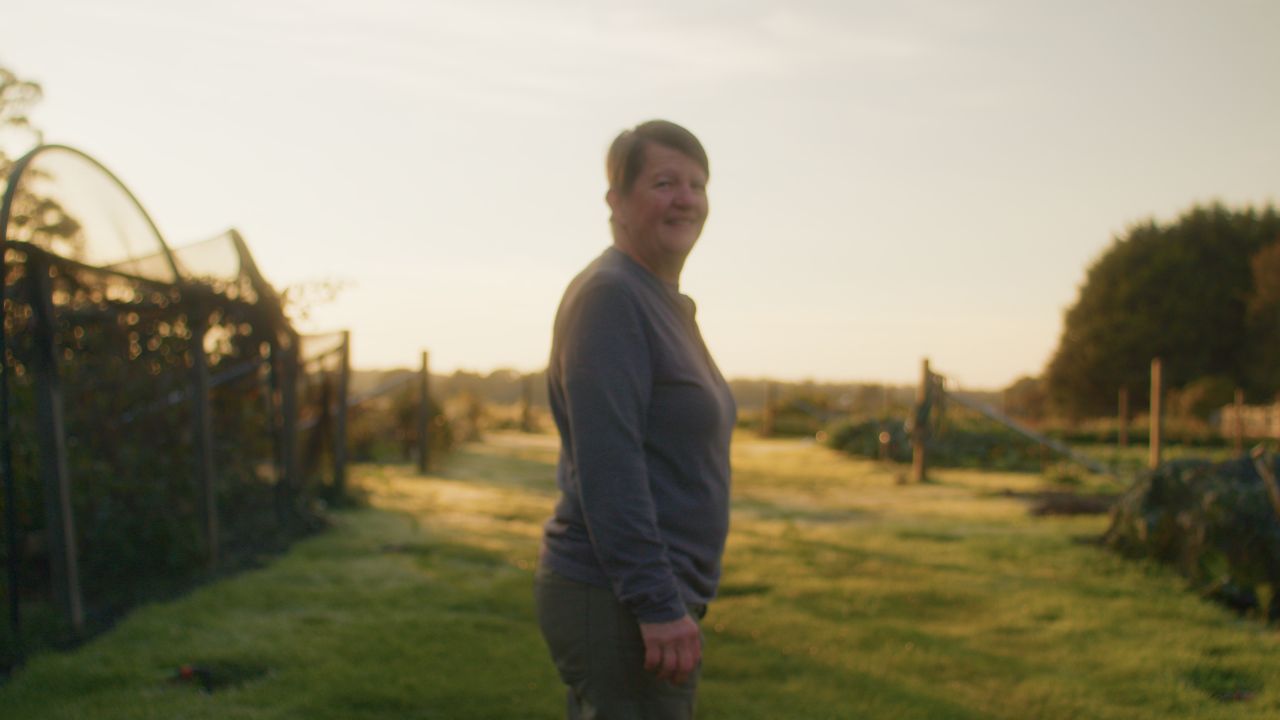 DigitalKodak Portra 400
Color with weight, like in a theater.
A negative is not watched: it is printed. GFILMLAB includes 8 real prints, from the Kodak 2383 of movie theaters to Fuji 3513 or Endura paper, with printer lights in points like a lab timer.
Subtractive saturation and dye density: color gains body without getting brighter, like film dye.
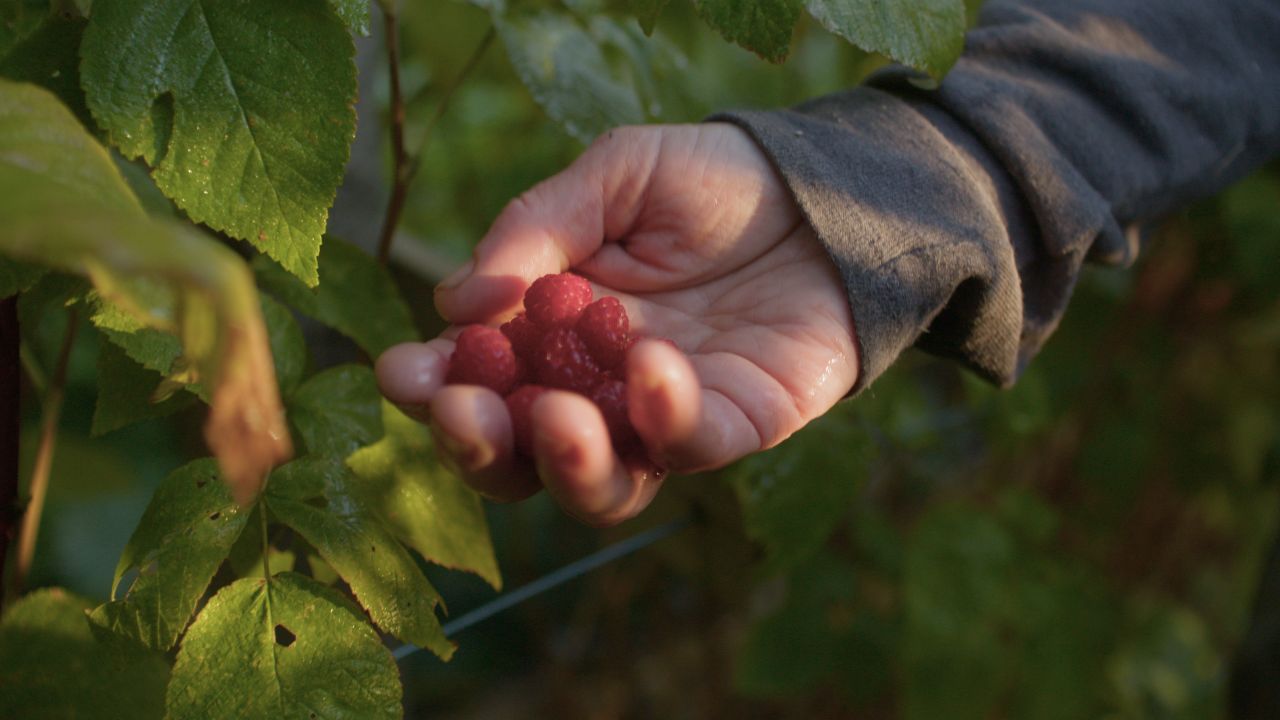
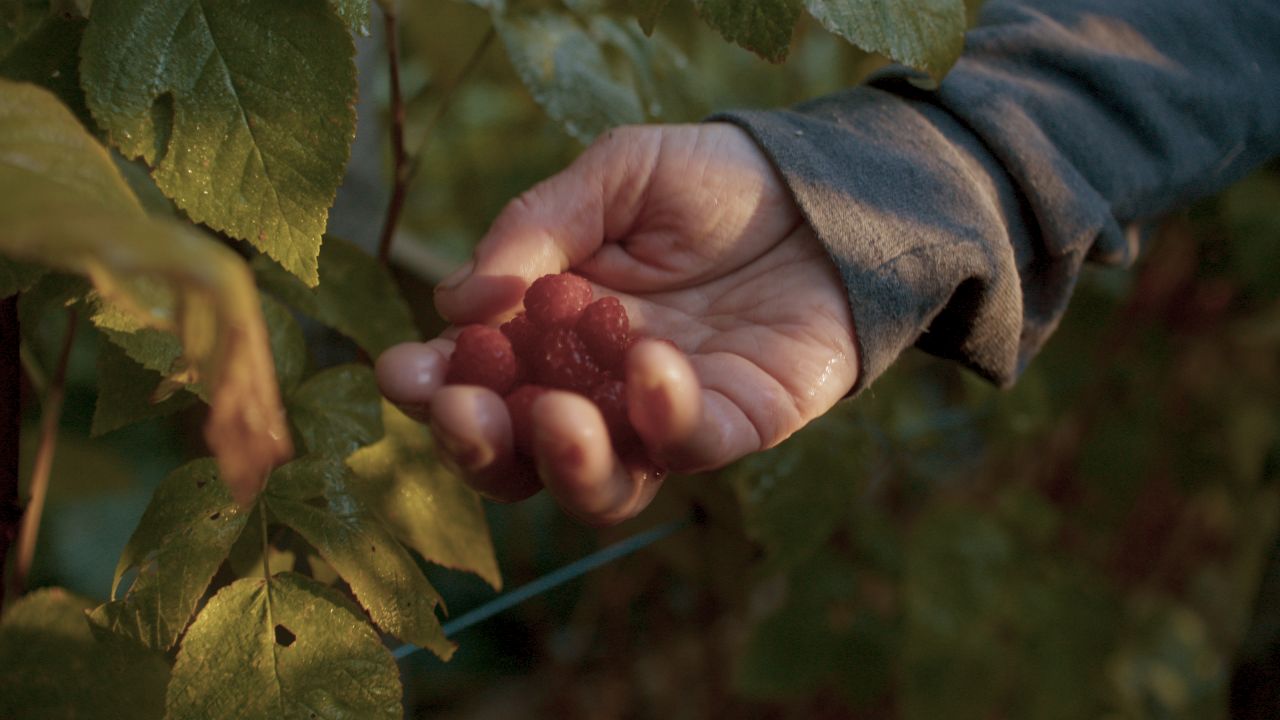 DigitalVision3 250D + Kodak 2383
Faces always look good.
The look tints shadows, highlights and landscape, but skin keeps its color. With skin and white protection, faces and dresses stay clean.
Skin false color tells you whether a face is well exposed for its skin type.
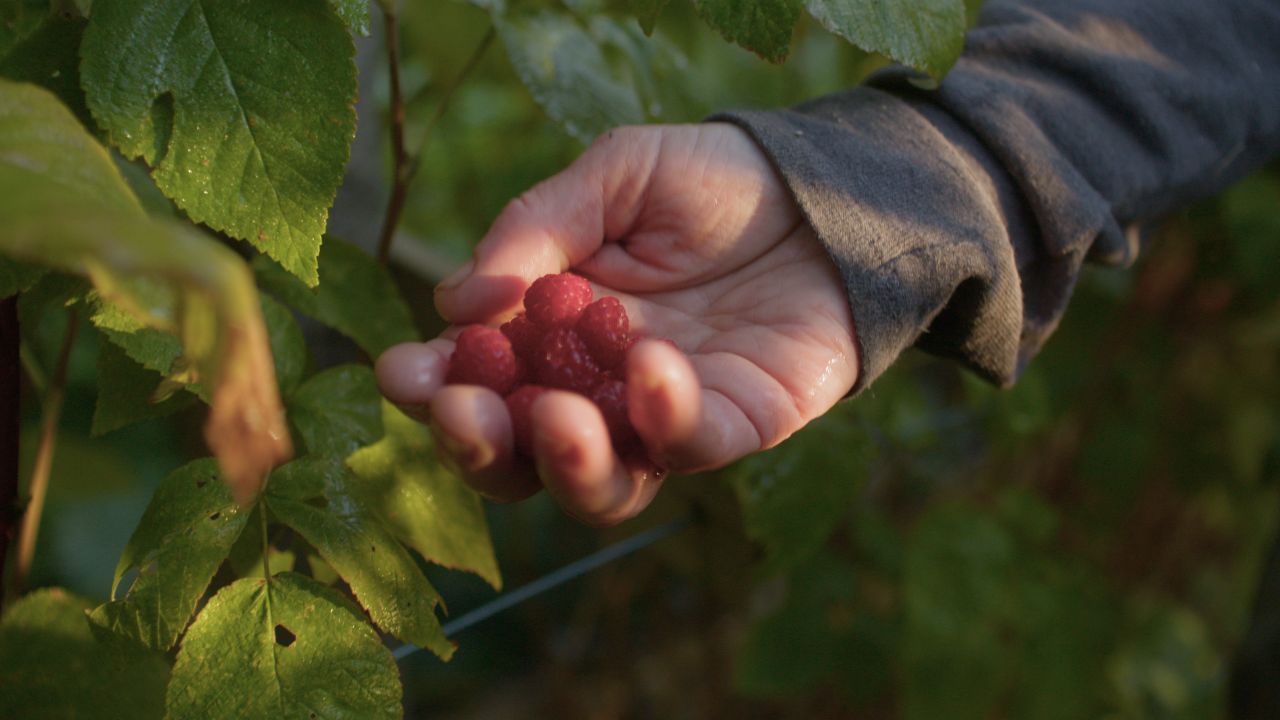
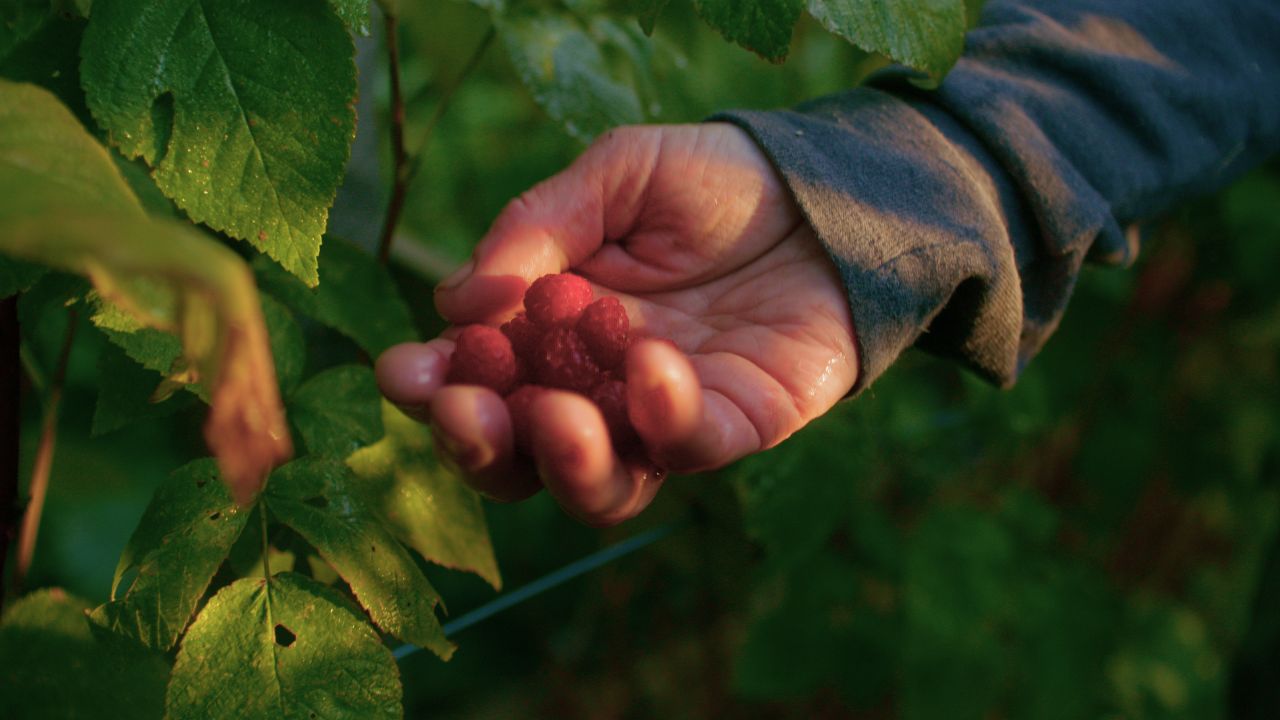 DigitalZone tints
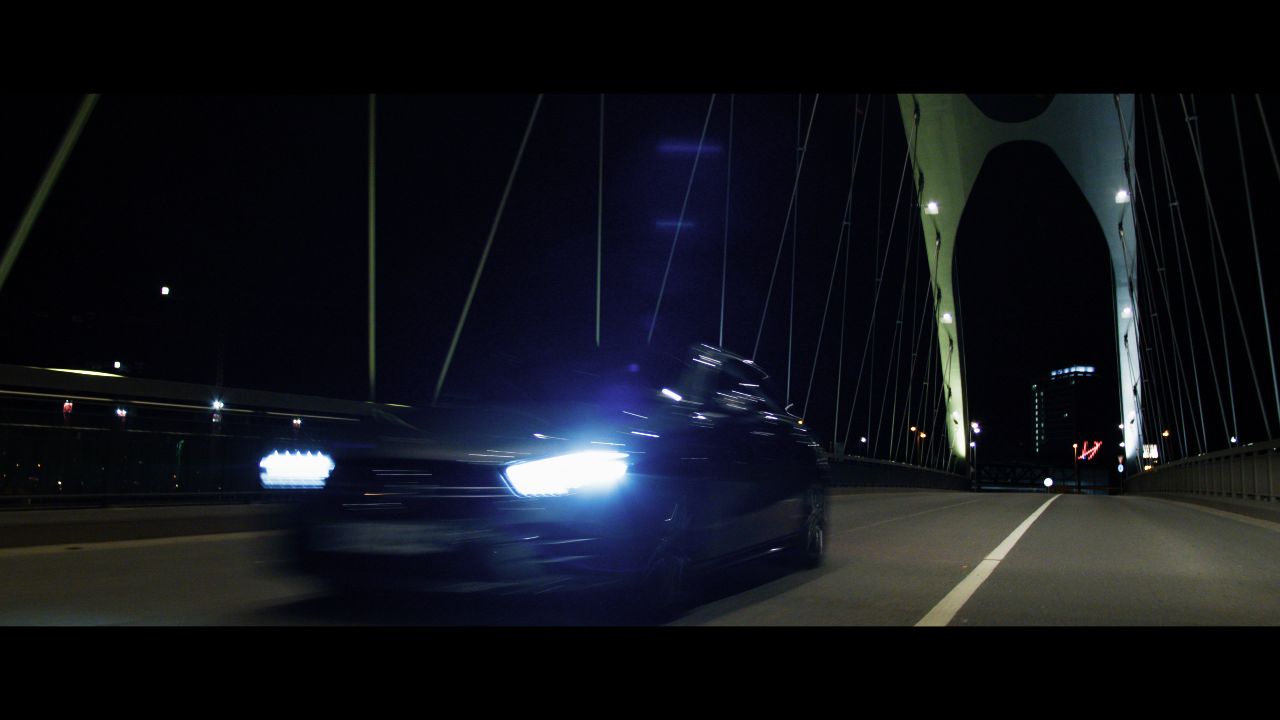
Headlights and neons that do not break.
This is where many film emulations fail: a blue LED headlight or a saturated neon turns into a blotch. GFILMLAB pulls them in gently and lets very bright lights go to white like film does.
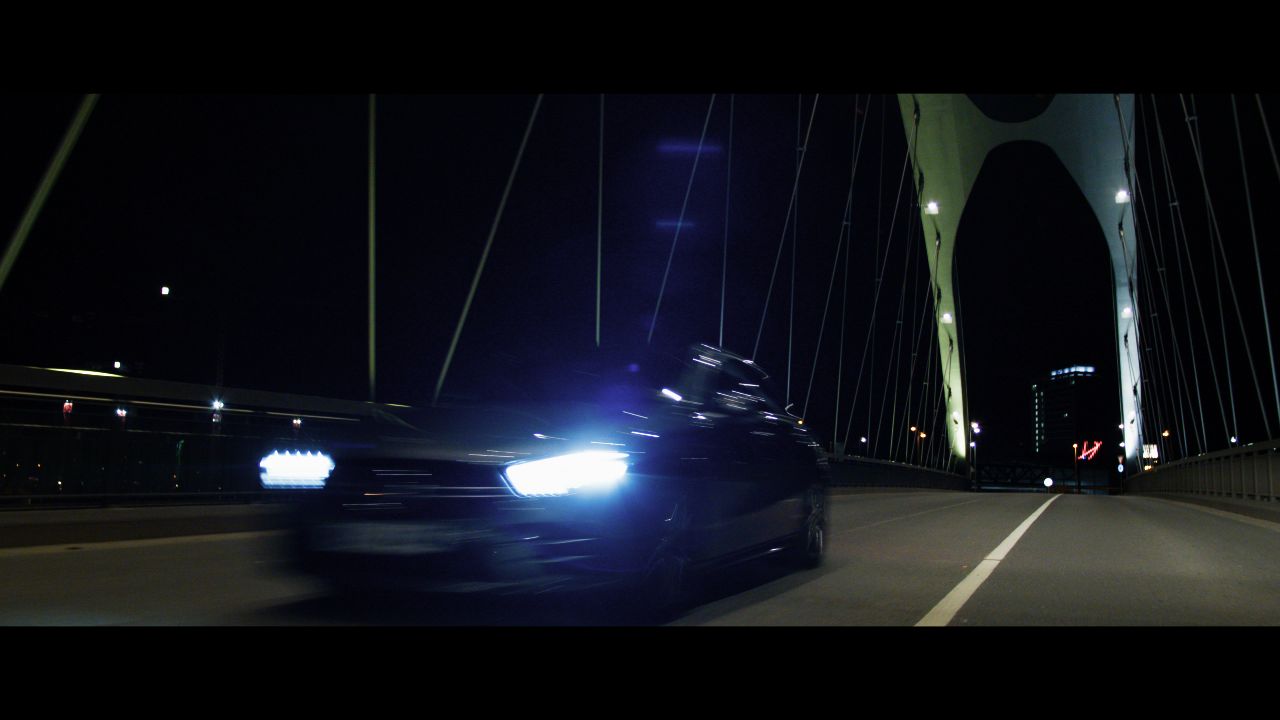
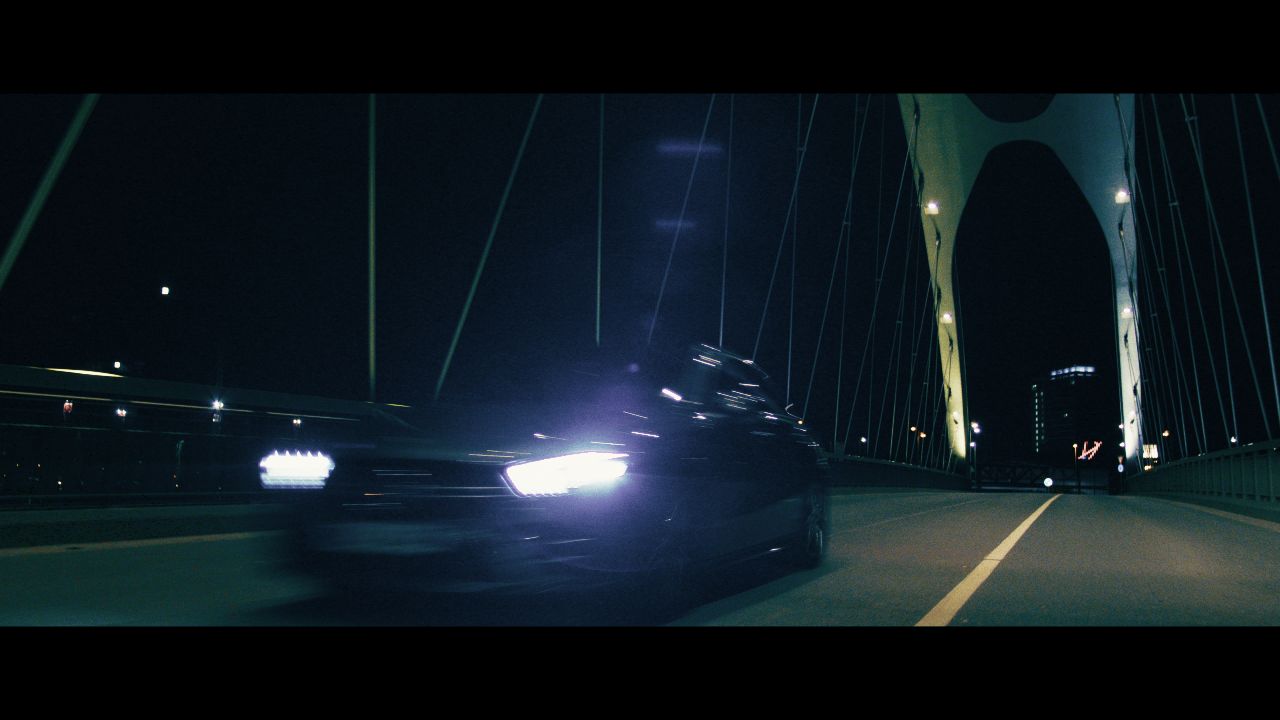 DigitalNeon night
Grain and halation born in the film.
Grain is not a layer on top: it is born in negative density, most visible in the midtones like real film. Strong lights get the red-orange glow of halation.
And for a projector touch, gentle weave and flicker.
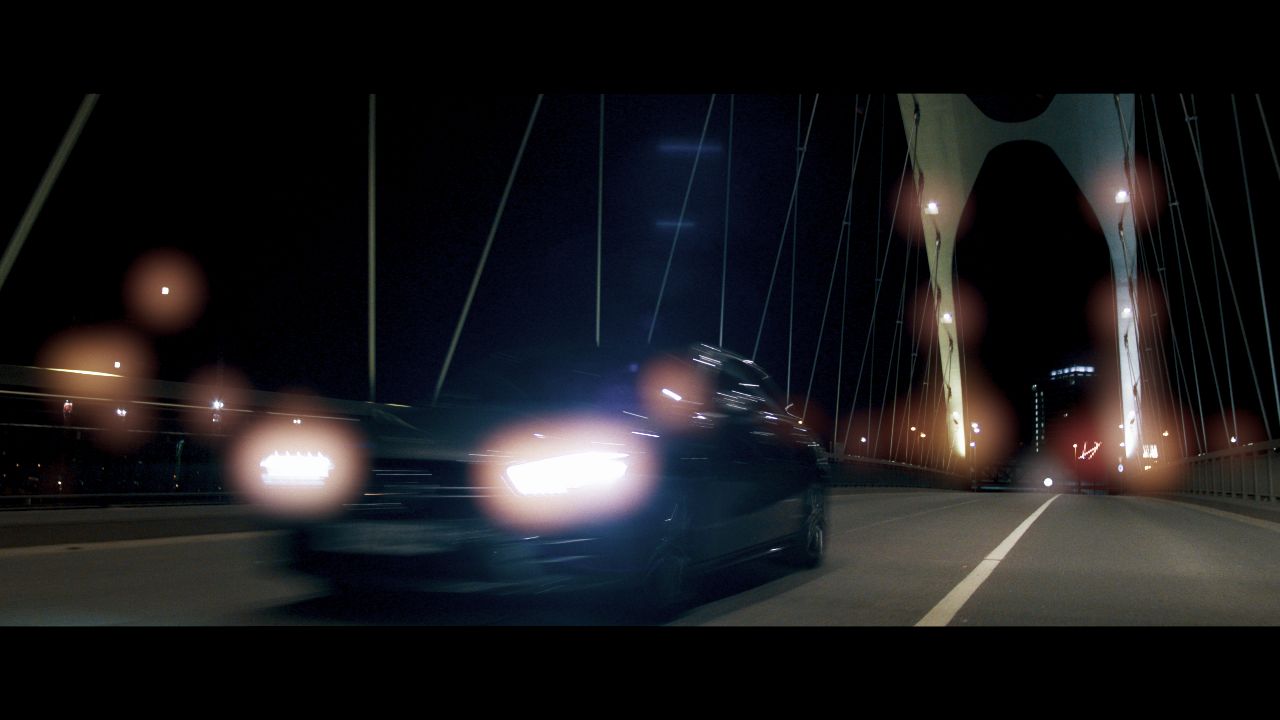 DigitalVision3 500T + grain and halation
A whole lab, not a filter.
Classics (50s three-strip, noir, New Hollywood), in-betweens (the 80s, the 90s, green thriller) and moderns (orange and teal, Nordic, neon), built with real film and prints.
Exposure, balance, contrast and zones working in negative density, like a lab timer.
Teal and orange, selenium, platinum, day for night and more, without touching skin.
Exposure and skin false color with a color guide, and a before/after split screen.
Rec.2020 PQ, P3 PQ and HLG outputs with adjustable peak and diffuse white.
Metal on Mac, CUDA on NVIDIA and OpenCL on AMD and Intel. macOS, Windows and Linux.
For Mac, Windows and Linux. Nothing to compile.
Every control explains what it does in plain words.
Do I need to know about film to use it?
No. You can pick a look and be done, or a film stock and a print by name. Every control explains what it does in one sentence.
Does it work with my camera?
GFILMLAB decodes 33 camera formats by itself: ARRI, RED, Sony, Canon, Panasonic, Blackmagic, Fujifilm, Nikon, Leica, DJI, GoPro, iPhone and log phones. It also takes Rec.709 and DaVinci Wide Gamut.
Which systems does it run on?
DaVinci Resolve on macOS (Apple Silicon and Intel), Windows and Linux, with GPU acceleration.
Does it replace my ViewGrade DCTLs?
They complement each other. GFILMLAB is the complete lab in one node; the DCTLs are separate tools to drop into your own node tree.
Your next project can look like cinema.
One-time payment. Double-click installers for Mac, Windows and Linux.